
207 services, ready to pick
Brand logos and colors for 150+ of them, or add your own service with any photo.
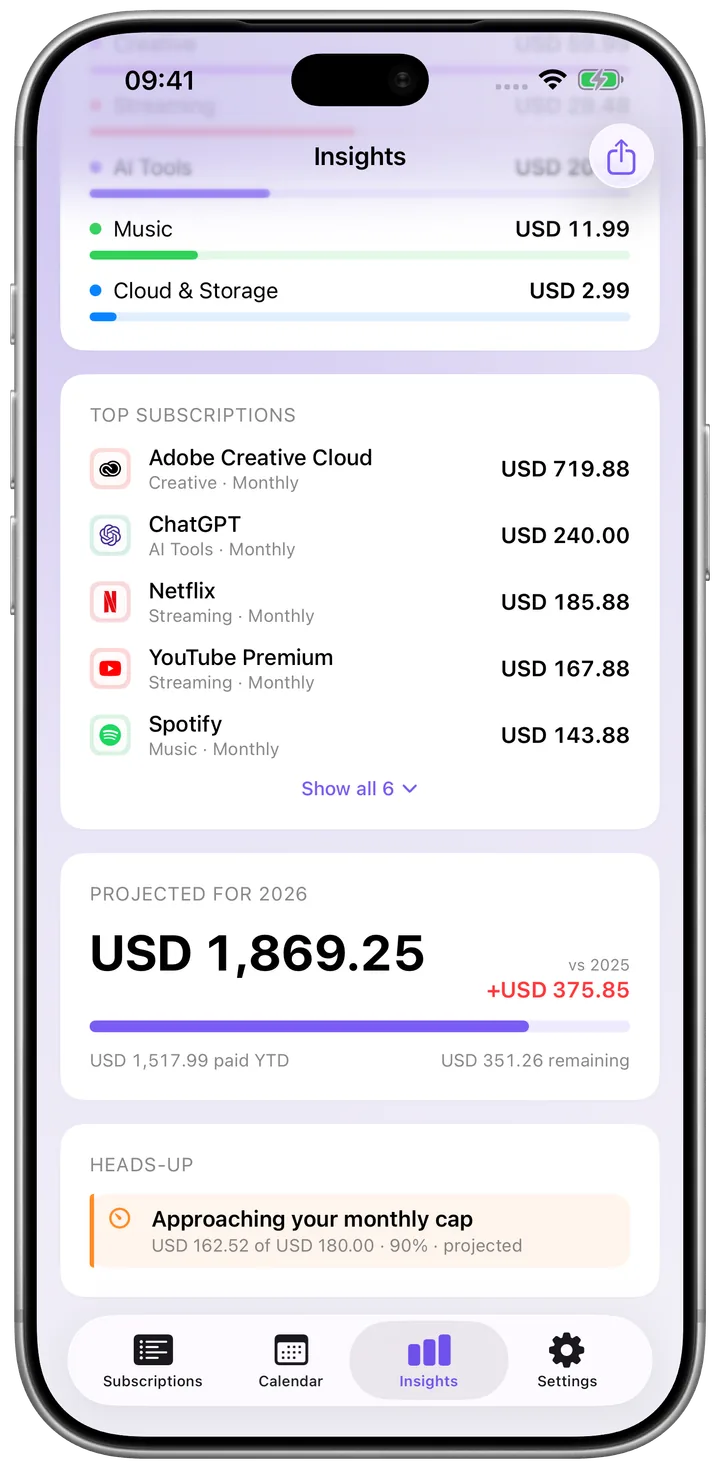
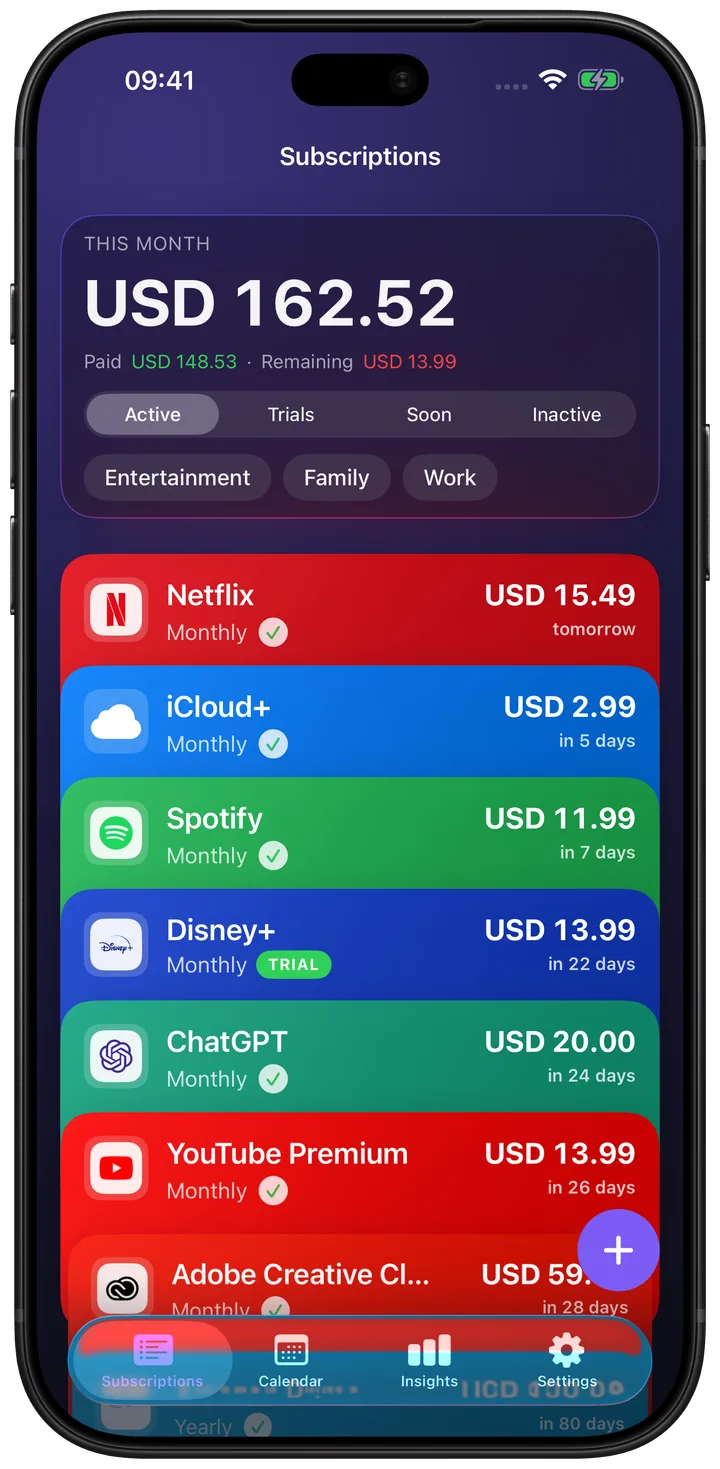
Streaming, music, AI, cloud: tracked together.
SubTap keeps every recurring charge in one tidy list, reminds you before the next one lands, and shows what the month and the year really cost. No account, no ads.
Free download · SubTap Pro from $1.99 a month in the US

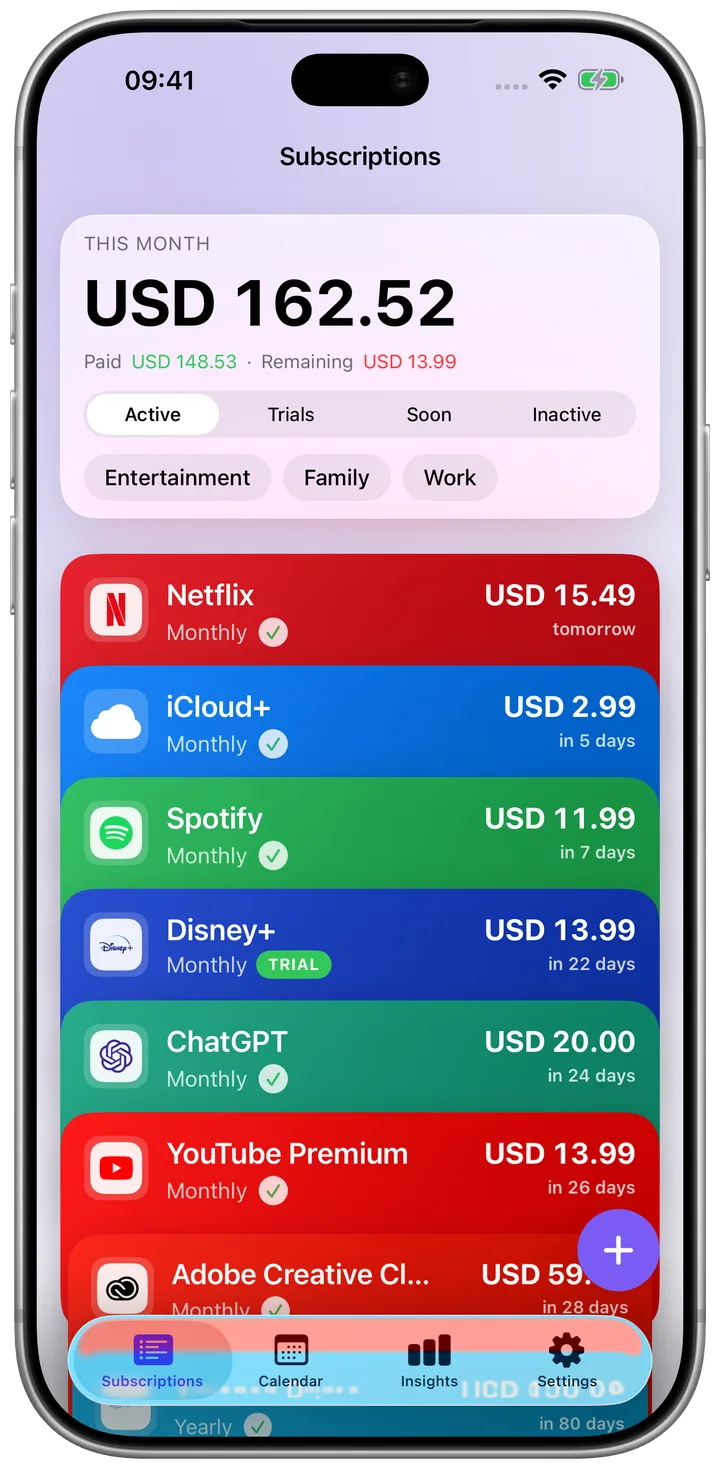
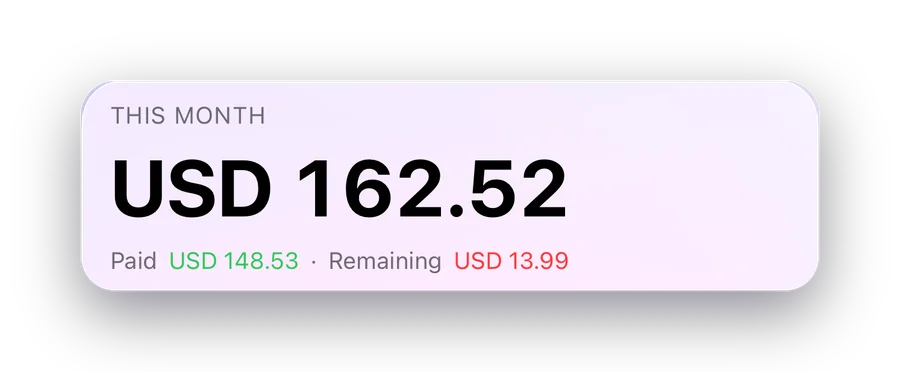
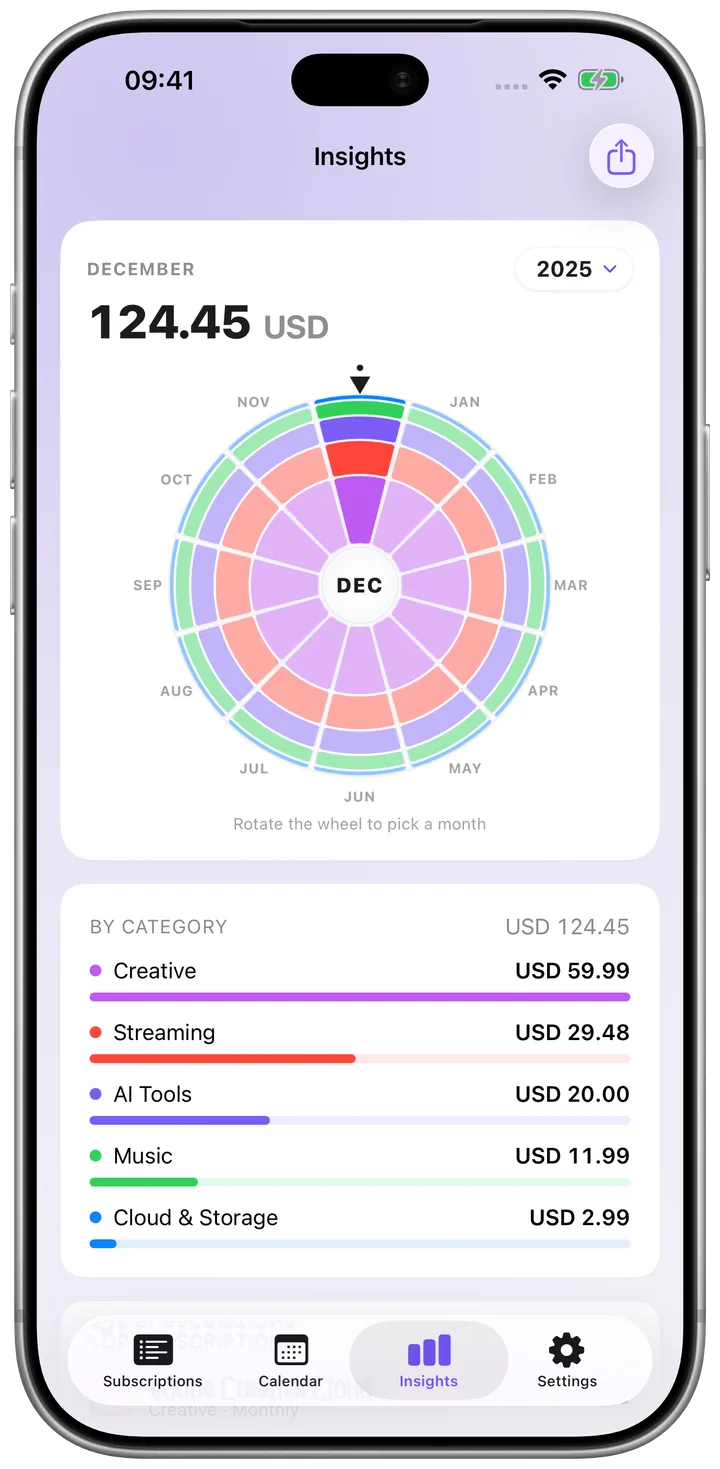
Live monthly total, paid and still to come.
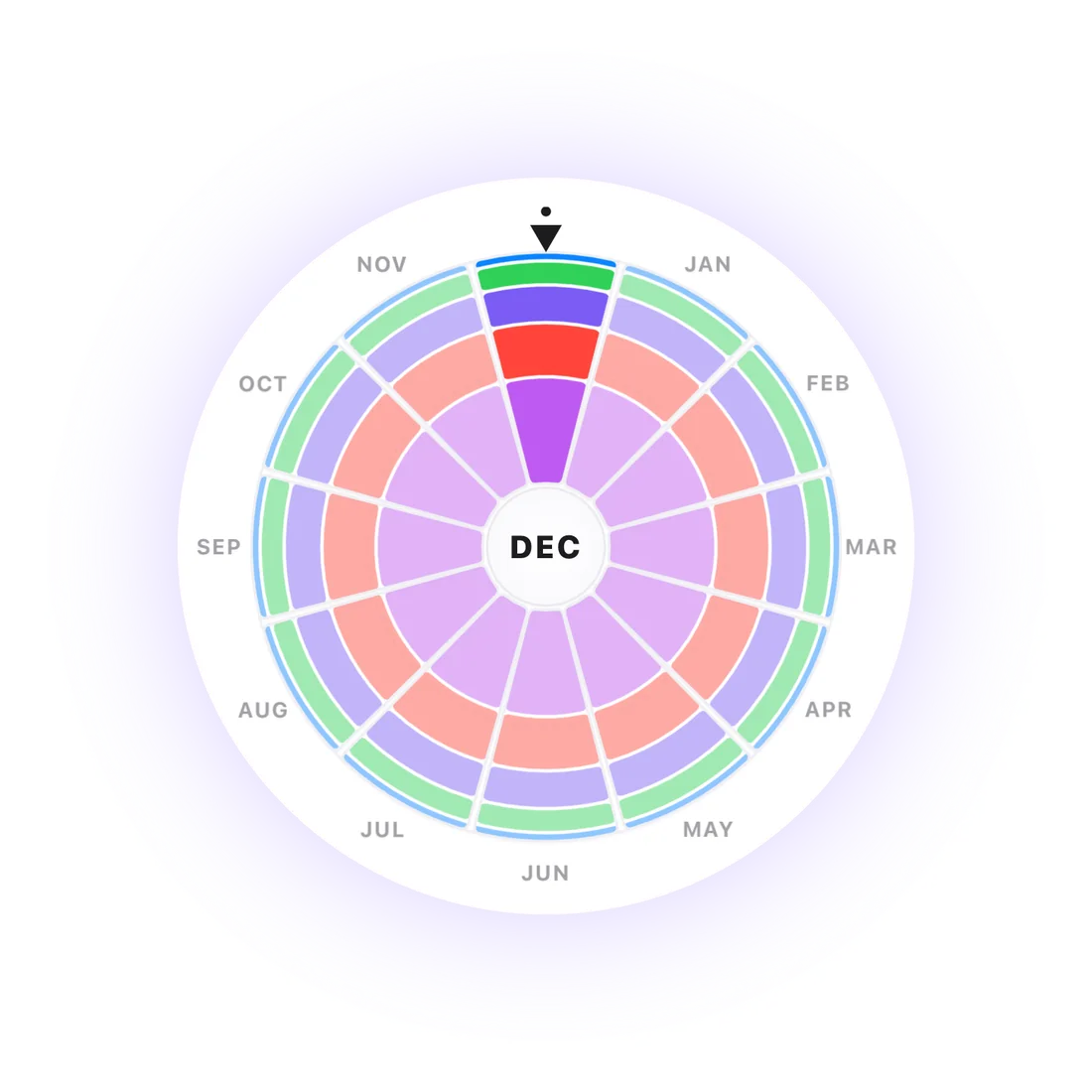
Spin the year wheel to compare any month.
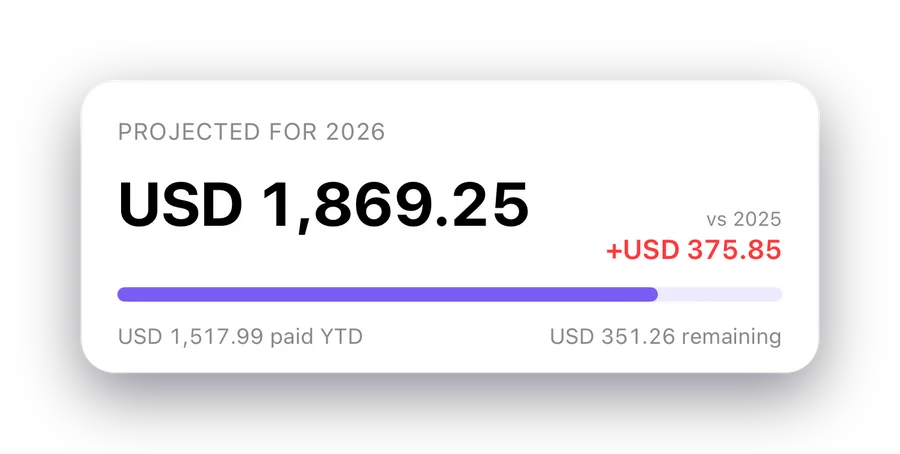 +USD 375.85 vs 2025
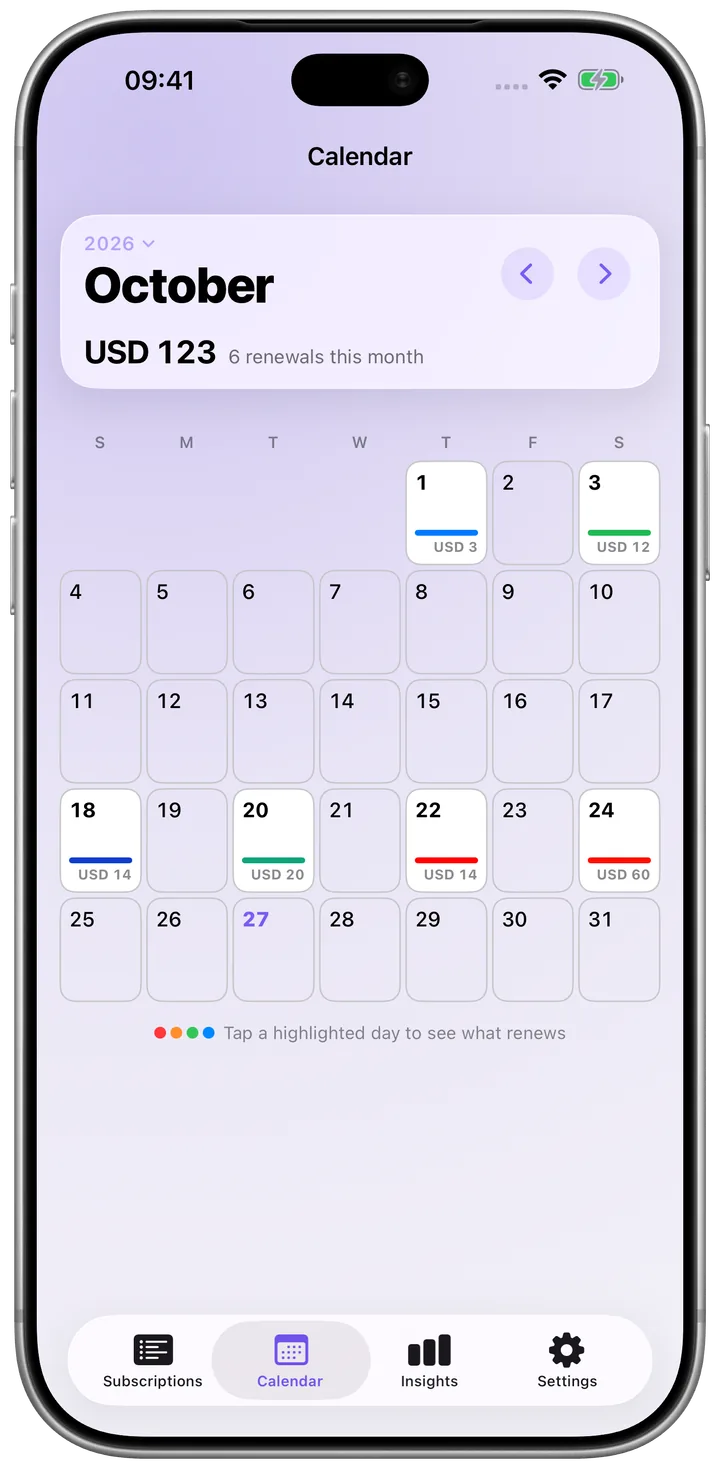
Every payment on a calendar, days ahead.
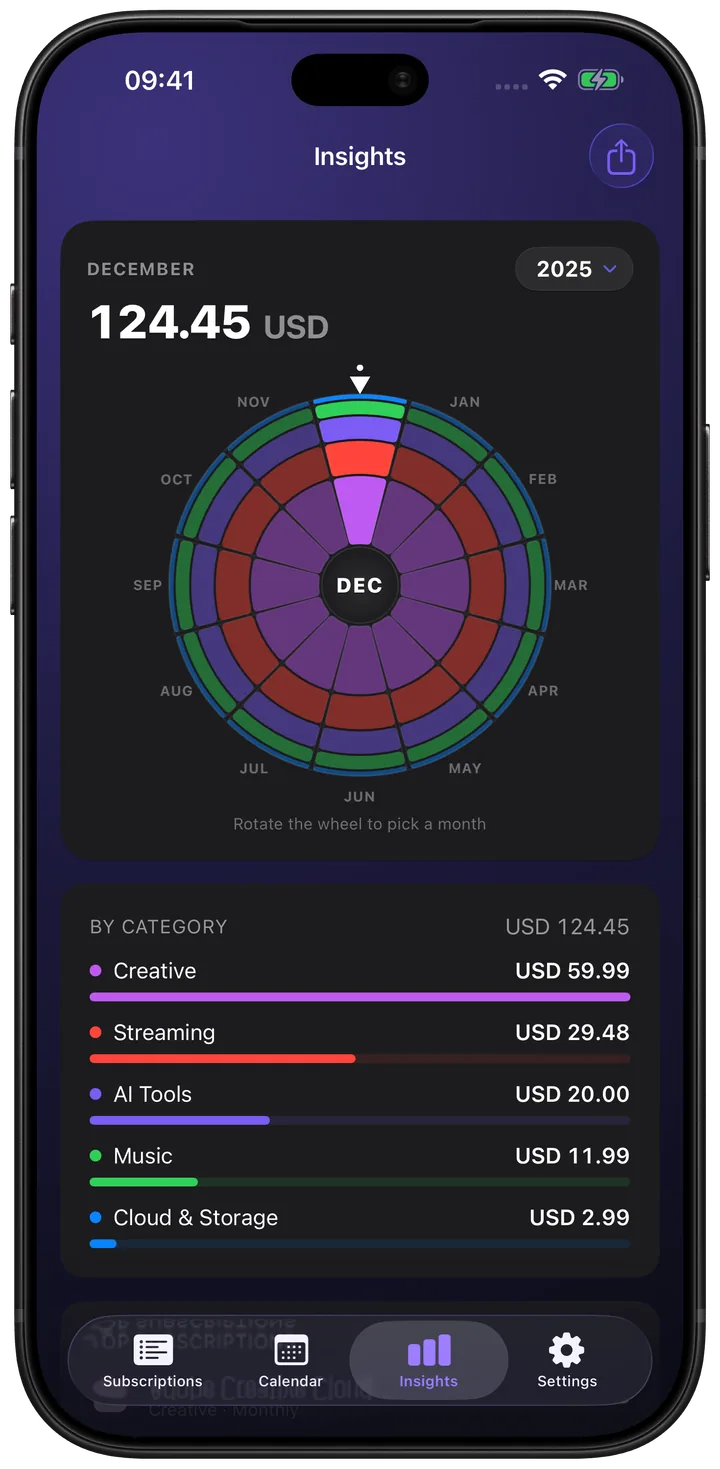
Every screen, light or dark.
The details that make tracking effortless, on the Apple devices you carry.
Brand logos and colors for 150+ of them, or add your own service with any photo.
Weekly, monthly, quarterly, every six months, yearly, or custom: every 1 to 99 days, weeks, months or years.
Pick a receipt screenshot, or share a PDF, text or link. On-device text recognition fills in the details.
Bring in a spreadsheet with automatic column matching, and export everything whenever you like.
Ask what renews next or what this month costs, mark a renewal as paid, or start a new subscription.
Upcoming renewals and this month's total, in small and medium sizes.
This month's total and what's next on your wrist, plus a Next renewal complication. Mark payments as paid from Apple Watch with Pro.
Side-by-side layouts on iPad, and on iPhone Duo when it's open.
Keep your iPhone and iPad in step through your own private iCloud database.
Share subscriptions with your household, split the cost and see who pays.
Face ID, Touch ID or a 4–8 digit PIN, every time you leave the app.
Services keep their own logo and color. Free includes 8 icons and 4 colors; Pro unlocks 36 icons, 12 colors and any custom color.
Step-by-step instructions for cancelling 45 popular services.
English, Deutsch, Español, Français and Polski. Switch inside the app, no restart needed.
VoiceOver labels and actions throughout, and Reduce Motion respected.
No account. No ads. No analytics.
Your subscriptions live on your device. SubTap has no servers of its own and no tracking code; the only thing it downloads is currency exchange rates. Turn on iCloud sync and your data goes to your own private iCloud database, never to us.
Open the app and start adding. There is no account to create.
Everything is stored locally on your iPhone and iPad.
Sync stays off until you turn it on, and it uses your private iCloud database.
Face ID, Touch ID or a PIN keeps SubTap closed to anyone else.
Track up to three subscriptions free, with every core feature.
$0Up to 3 active subscriptions
$1.99 a monthor $11.99 a year with a 3-day free trial. US prices; the App Store shows your local price.
Prices shown are US prices in US dollars; the App Store shows your local price before you buy. SubTap Pro renews automatically unless cancelled at least 24 hours before the end of the current period. Manage or cancel it in your App Store account settings.
Yes. You can track up to three active subscriptions with every core feature for free. SubTap Pro removes the limit and adds iCloud sync, Household Sharing, App Lock, more card styles, PDF reports and more, for $1.99 a month or $11.99 a year in the US (the App Store shows your local price). The yearly plan starts with a 3-day free trial.
No. SubTap has no sign-up and no login. Open the app and start adding subscriptions.
On your device. If you turn on iCloud sync (Pro), SubTap uses your own private iCloud database. Subscriptions you share through Household Sharing are visible to the people you invite. SubTap has no servers of its own and contains no ads or analytics.
No. You add subscriptions yourself: pick from 207 ready-made services, import a CSV file, or, with Pro, add them from a receipt.
No. SubTap never touches your accounts or payments. It tracks what you pay, reminds you before renewals and, with Pro, shows step-by-step cancellation guides for 45 popular services.
More than 150. Each subscription keeps its own currency, and totals are converted to your main currency with up-to-date exchange rates.
Yes. SubTap runs on iPhone and iPad with iOS or iPadOS 18 or later. The Apple Watch app (watchOS 10 or later) shows this month's total and upcoming renewals, and adds a Next renewal complication.
English, German, Spanish, French and Polish. You can switch languages inside the app without restarting.
Download SubTap free and know exactly what renews next.
Free download · SubTap Pro from $1.99 a month in the US